

How to Check and Pay Traffic Fines in Dubai (Tourists & Residents)
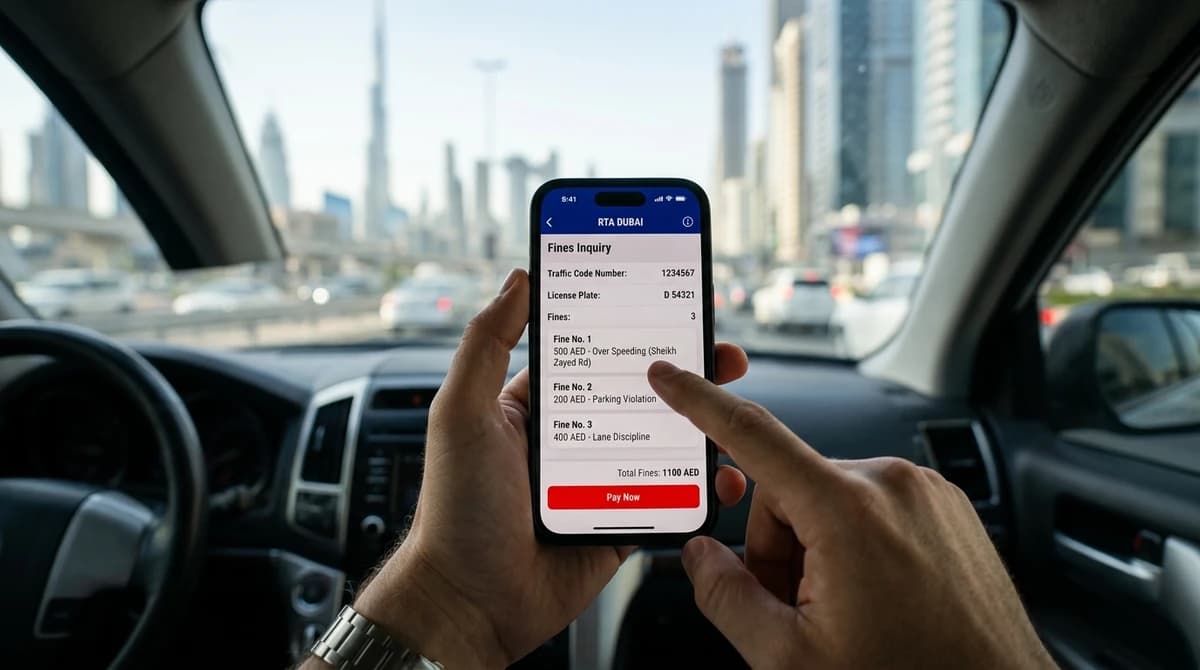
If you hold a UAE licence, open the Dubai Police app, sign in with UAE Pass, and every fine on your plate and licence is one tap away. If you're a visitor in a rental car, put the plate number into the Dubai Police website, where a search needs no login and no Emirates ID. Those are the two fastest answers to how to check traffic fines in Dubai. Each channel is walked through below, screen by screen, with what to type, what comes back and how to pay. There's also the part most guides skip: what a tourist can and can't see on a rental plate, and when to look. A radar flash on the last morning of a rental won't be on the record when you hand back the keys.
The Dubai Police website and app
Dubai Police issues the fines and keeps the record, so its file is the one to trust. Everything else, the RTA search, DubaiNow and the MOI app, reads from the same data, and a fine that isn't on the Dubai Police record doesn't exist yet.
On the website, without logging in
- Go to dubaipolice.gov.ae and find Fines Inquiry and Payment under Services. You don't need an account for this part.
- Choose how to search. The options are plate number, traffic file number, driving licence number and fine number. For a rental you'll use the plate.
- For a plate search there are three fields. Plate source is the emirate the plate is from, plate code is the letter or pair of letters printed on it, and then the number itself.
- Clear the captcha and search.
- The list shows each fine with its date and time, the location, the violation type, the amount and any black points. Open a camera fine and the photo of the car is there, which is the evidence you'll want if you ever dispute one.
- Tick the fines you want to settle, pay by card and save the receipt.
One thing that trips up car owners: a plate search only shows fines registered against that plate. Anything written against you as a driver, such as a fine from being pulled over, sits under your licence number. If you own a car, run both searches once.
In the app
The Dubai Police app expects a UAE Pass login, which makes it the resident's tool. Once you're in, the Fine Payment service takes the same four search types. If your Emirates ID is linked to your plate, the app shows your fines without you typing anything. It also pushes a notification when a new fine registers, which is the single best reason a resident should have it installed. The fine details and the camera photo are the same as on the website. Pay by card in the app and the fine clears from the file within minutes.
The RTA website and the RTA Dubai app
The RTA doesn't issue camera fines, but it won't renew your registration or licence while any are outstanding, so its search is the one you'll meet at renewal time. On rta.ae, look under Drivers and Vehicles for Traffic Fines. The search takes a traffic file number or a plate, and for a plate you pick the category (private, for most cars), the code and the number. UAE Pass login is optional. If you sign in, your details are pre-filled. If you don't, the search still runs.
The RTA Dubai app does the same job from the Vehicles and Fines section. Enter the plate, tap to view fines, and the amounts and black points appear. Both the RTA and Dubai Police read the same file, so if one is down, and the RTA site has its slow days, the other will show the same fines.
DubaiNow
DubaiNow is the city's all-in-one app, and for a resident with a car it's the easiest place to pay. Sign in with UAE Pass or create an account with your Emirates ID details, open the traffic section and the fines are listed with a pay button. Since July 2026 the home screen also carries a Pay All Fines option. It pulls every eligible fine tied to your Emirates ID, traffic, parking and Salik-related, into one list with one total. Settle it by card or digital wallet. It needs an Emirates ID, so visitors skip this one.
Fines from other emirates
A Dubai plate gets caught by Abu Dhabi's cameras on the E11 all the time, and by Sharjah's on the way to the east coast. That fine belongs to the emirate that issued it, and it's recorded on the federal system run by the Ministry of Interior as well as against your plate. A Dubai Police or RTA search on the plate will normally list it. The sure check is the MOI UAE app or moi.gov.ae, which covers all seven emirates in one place.
The MOI app needs a UAE Pass login. Its traffic service searches by traffic file number, licence number or plate, and the list marks each fine with the emirate that issued it. Two things to know before you pay there. The MOI channel adds a small federal service fee at checkout, so look at the total before you confirm. And an Abu Dhabi fine is usually cheaper through Abu Dhabi's own channels, because Abu Dhabi runs a standing discount for early payment that Dubai doesn't.
Checking a rental plate without an Emirates ID
Every fine on a rental car lands on the plate, never on your foreign licence, and the plate search on the Dubai Police website is open to anyone. That's the whole tourist path.
Take the plate from your rental agreement or from a photo of the car. You need three things: the emirate on the plate, the code letter and the number. Most Dubai rental fleets are on Dubai plates, but some cars carry Sharjah or Ajman plates, so read the plate rather than assuming. Enter the details on the Dubai Police site, clear the captcha, and you see exactly what the rental company sees. The date, time, location, amount and the camera photo are all there.
Two limits. You can't use the Dubai Police app, DubaiNow or the MOI app, because all three want a UAE Pass built on an Emirates ID. And a search by licence number won't return anything, because your home licence isn't on the Dubai file. Neither matters for a rental.
One caution when you read the list. It shows every unpaid fine on that plate, whoever was driving. If the car had a previous renter and the company hasn't settled their fine yet, it will be on the list too. Match each date and time against your rental dates before you assume anything is yours.
Paying, and paying from abroad
On a rental you have a choice: pay the fine yourself, or let the company pay it and bill you. Most people never make the choice, because the company pays first. It sees the fine on its traffic file, settles it, and recovers it from the deposit or the card on file. With us the amount is the Dubai Police figure with no admin fee added, billed to the card on the agreement. The full chain, including how to dispute a fine, is in our guide to fines on a rental car.
If you'd rather pay it yourself while you still have the car, tell the company first. Then pay on the Dubai Police site by card and send them the receipt, so the same fine isn't paid twice. A fine paid twice takes weeks to unwind.
From abroad, the same page works. The plate search runs from any country and the payment page takes international cards. That is also how you check a charge that reaches your statement after you're home: search the plate, open the fine, compare the timestamp and the photo with your agreement. If the violation falls inside your rental dates it's yours. If it falls after your return time, ask the company to reverse the charge.
What if a fine is still unpaid when you fly? On a rental, the fine is on the company's plate, so it stays on the company's file. The company recovers it from your card under the fines clause you signed. Nobody checks camera fines at passport control. The exceptions are the offences that go beyond a fine: an impounded car, a drink-driving case, anything that ends up with a court date. Those are dealt with before you leave, and the Dubai traffic fines list shows which offences fall into that category. On a car you own, an unpaid fine blocks your registration and licence renewal until it's cleared. The Dubai Government's page on traffic fines in Dubai says as much, alongside the list of official channels.
A word on discounts, because the WhatsApp forwards never stop. If a reduced amount shows in your results, that's what you pay, and it's applied automatically. Dubai Police announces any campaign on its own website and app. A message offering a discount through a link is a scam.
When to check
A fixed-camera fine for speeding or a red light usually registers within a day or two, and occasionally takes up to a week. A mobile radar fine, a fine written by a patrol officer, a parking fine and anything from another emirate take longer, from several days to a couple of weeks. So the timing of your checks matters more than the channel.
On a rental, check the plate on the last day, before handover, so you know what's coming. Check again a week later, when the camera fines from the final days have landed. The security deposit stays on hold for 15 to 25 days after return for exactly this reason. A third look when it's due back tells you whether the released amount will be short. On a monthly rental, run the plate every couple of weeks and treat each fine as a reminder about where the limit drops. For the rest of what a visitor needs at the wheel, our guide to driving as a tourist covers the limits, the radar margin and the roads where fines cluster. And if you're still choosing a car, our booking page shows the deposit that will sit on hold while that window runs.
FAQ — Common Questions Answered.
Can I check traffic fines by plate number in Dubai?
Yes, and it's the search most people should use. The Dubai Police website takes the plate source, the plate code and the number, without any login. It lists every unpaid fine on that plate with its date, time, location, amount and camera photo. The RTA website and app take the same plate details, and the MOI app adds fines from the other emirates. Remember that a plate search shows fines on the vehicle, not fines written against you as a driver, so if you own a car, search your licence number as well.
Can I check fines without an Emirates ID?
Yes, on the Dubai Police website, where a plate search needs no account and no Emirates ID. That's the route for a visitor in a rental car, and the results are identical to what a resident sees. What you can't use is the Dubai Police app, DubaiNow or the MOI app, because they sign you in through UAE Pass, which is built on the Emirates ID. If you can't find your rental's plate number, it's printed on the agreement, and the rental company can also run the check for you.
How do I pay a traffic fine as a tourist?
Pay it on the Dubai Police website by card, from Dubai or from home, and keep the receipt. Before you do, tell the rental company. On a rental the fine sits on the company's plate, and most companies pay it first and recover it from your deposit or card. If you pay directly, send the receipt so the fine isn't paid twice. A fine you leave unpaid on a rental plate doesn't stop you at the airport, but it will reach your card from the company later. Paying early costs you nothing extra and closes the matter.